
Home service app development
A booking app in your company's name for home service companies in the US and Canada: lawn care, snow removal, cleaning, pest control, HVAC, plumbing and pool service. Customers request and pay in the app, and the office runs contracts, crews and billing from one dashboard.
Case: Lawn By Moe, Milton, Ontario
A landscaping company that sells seasonal lawn care and snow removal contracts. We built the customer app, the API and the office dashboard.
Lawn and snow contracts, run from one app.
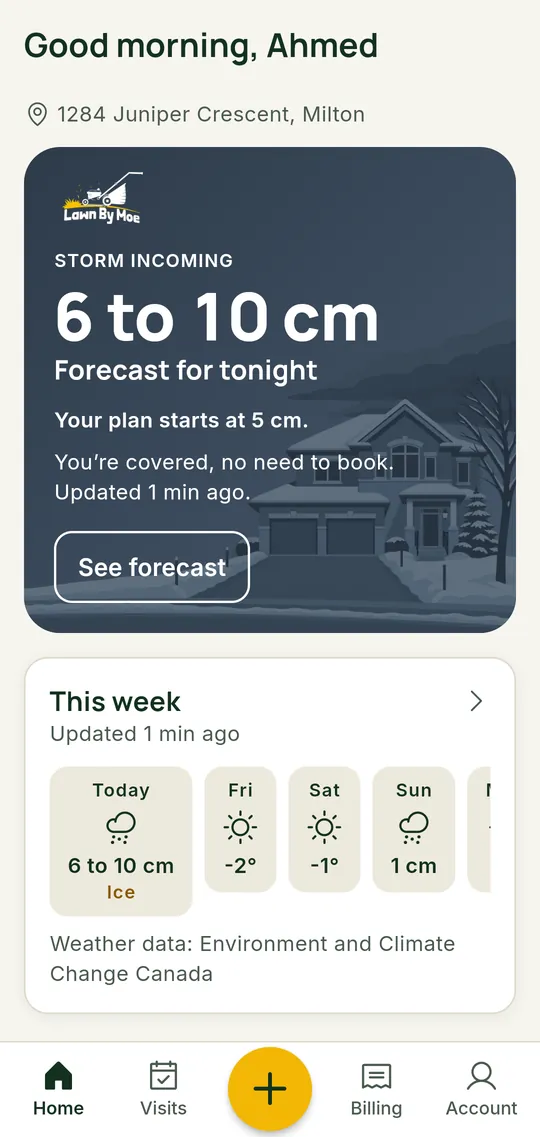
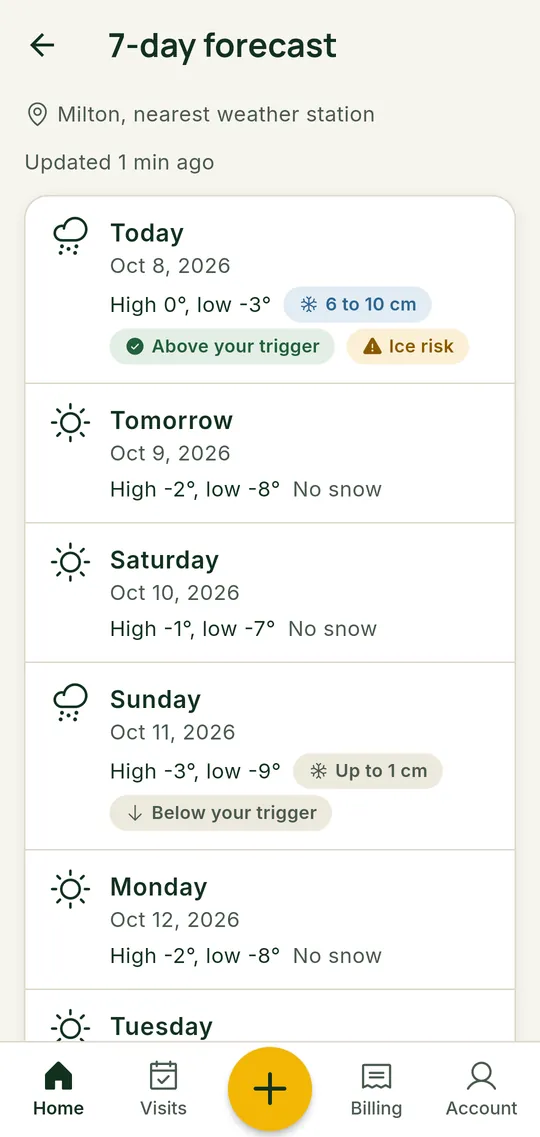
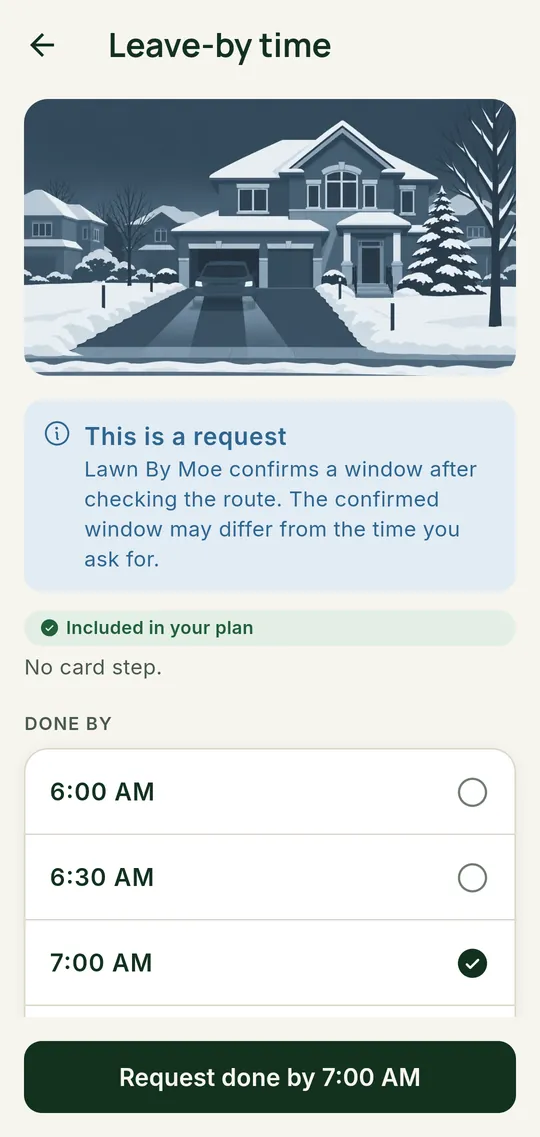
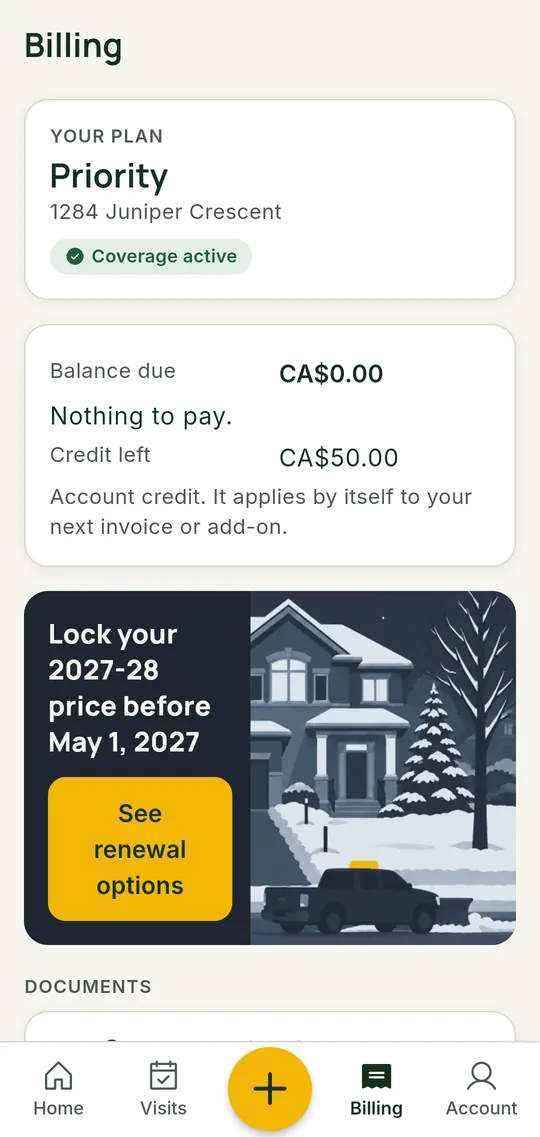
Customer app for iOS and Android, a Laravel API and an office dashboard for a landscaping company in Milton, Ontario. Seasonal lawn and snow contracts, Stripe payments and push alerts. Android is live on Google Play; the iOS app is in App Store review.
Other apps and sites we have built are on the Work page. See our work
By trade
What the app usually does for each trade. Your Blueprint picks the parts that fit your company.
Lawn care
Weekly or seasonal plans, visit reminders, and billing that follows the plan the customer signed up for.
Snow removal
Seasonal contracts or per-visit service, storm alerts to customers, and requests for the time the driveway must be clear.
Cleaning
Recurring visits, a checklist and entry notes per home, and easy rebooking or skipping a visit.
Pest control
Treatment plans on a schedule, service reports with photos, and reminders for follow-up visits.
HVAC
Maintenance plans, equipment history per address, and urgent requests with photos of the unit.
Plumbing
Job requests with photos and notes, quotes the customer approves in the app, and payment when the job is done.
Pool service
Weekly route visits, opening and closing bookings for the season, and service notes with photos.
Who a custom app is for
- You run several crews or service areas, and per-user software fees keep growing.
- You sell plans or seasonal contracts that a generic tool handles badly.
- You want customers to find you in the App Store and Google Play under your own name.
- You want the customer list and payment history on a backend you control.
Features home service companies ask for
- Service requests with address, photos and notes
- Seasonal contracts and recurring plans
- Online payments, deposits and saved cards through Stripe
- Push alerts for visits, weather and schedule changes
- Crew schedules and job status
- An office dashboard for customers, contracts and billing
A crew app, when you need one
A separate app for your crews, scoped per client in the Blueprint. Some companies start without one and add it later.
- Today's jobs, in order, with the address and the customer's notes
- Routes between jobs, opened in the phone's maps app
- Before and after photos attached to the job
- Job status the office and the customer can see
Integrations
- Stripe
- BuiltPayments. Built for Lawn By Moe.
- FCM / APNs
- BuiltPush notifications. Built for Lawn By Moe.
- Google / Apple
- BuiltCustomer sign-in. Built for Lawn By Moe.
- Calendar
- Scoped per clientScoped in the Blueprint.
- Accounting
- Scoped per clientScoped in the Blueprint.
- Maps and routes
- Scoped per clientScoped in the Blueprint.
- SMS
- Scoped per clientScoped in the Blueprint.
Switching from Jobber or Housecall Pro
- 1Export your customer list from your current tool as a CSV file, and we import it into your app.
- 2Job history, recurring plans and open invoices are scoped in the Blueprint, because what you can export depends on the tool and your plan.
- 3The switch date is set in the Blueprint plan, so customers move over when the app is ready for them.
Jobber or Housecall Pro, or your own app?
List prices on the official pricing pages, monthly billing. For a small crew, renting is usually cheaper than building, and we will tell you if that is your case.
Home service crew, 5 users
Housecall Pro Essentials, monthly
- A month
- $189
- A year
- $2,268
- 3 years
- $6,804
Add-ons not included.
Source: Housecall Pro pricing, checked
Home service crew, 5 users
Jobber Grow, 5 users, no commitment
- A month
- $299
- A year
- $3,588
- 3 years
- $10,764
Monthly billing. Annual billing is lower.
Source: Jobber pricing, checked
Larger crew, 15 users
Jobber Plus, 15 users, no commitment
- A month
- $699
- A year
- $8,388
- 3 years
- $25,164
Extra users $29 a month each.
Source: Jobber pricing, checked
Week by week, from Blueprint to care plan
The Blueprint takes 2 to 3 weeks. The build has no fixed length on this page: your Blueprint quote sets it.
- Week 1Kickoff and researchA kickoff call, a walk-through of how bookings, crews, pricing and payments work today, and a look at the tools you use now.
- Week 2Prototype and reviewThe clickable prototype of the customer app and the key admin screens, and the feature list split into v1 and later. You review it with your team.
- Week 3Cost sheet and fixed quoteYour review applied, the rent-vs-own cost sheet, the architecture note and the fixed build quote with milestones.
- Set by your quote
Build
Built to the v1 feature list at the fixed price, paid by milestones. The number of weeks is in your Blueprint quote.
- After the build
Store launch
Submitted to the App Store and Google Play on your own developer accounts. Apple and Google set their review times.
- Every month
Care plan
OS and SDK updates, store policy changes, monitoring, backups and small changes, quoted monthly from your build.
You own it
No platform between you and your customers. If you stop working with us, everything below stays yours.
- Code
- The source code of the apps, the API and the admin, in a repository you own once the build is paid.
- Store accounts
- The app is published on App Store and Google Play developer accounts in your name.
- Data
- Customer and booking data sit on a backend and hosting in your name.
- Handover
- Logins, setup notes and the admin accounts are handed to you at launch.
Can the app run seasonal or recurring contracts?
Yes. The Lawn By Moe app runs seasonal lawn care and snow removal contracts, with Stripe payments and an office dashboard. Your Blueprint maps your own plans and billing.
Do my crews need their own app?
Not always. Some companies start with a customer app and an office dashboard, and add a crew app later. The Blueprint splits the features into v1 and later so you pay for what you need first.
Is my own app cheaper than Jobber or Housecall Pro?
On list prices, usually not for a small crew. A 5-user Jobber Grow plan is $299 a month on monthly billing. Owning pays when the software does not fit how you sell and schedule, or when you want the app and the customer data in your own name.
What does the Blueprint cost?
$3,500, a fixed price, delivered in 14 to 21 days. 50% of it is credited to the build if you sign within 30 days.
Start with a Booking App Blueprint
In 14 to 21 days you get a cost sheet, a v1 feature list, a clickable prototype and a fixed build quote. You keep all of it.
$1,750 comes off your build if you sign within 30 days.